Arcline

Your watch,
along the rim.

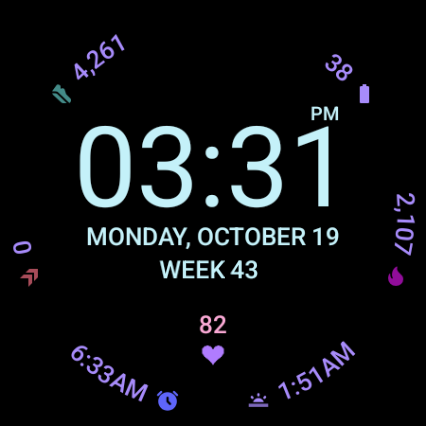
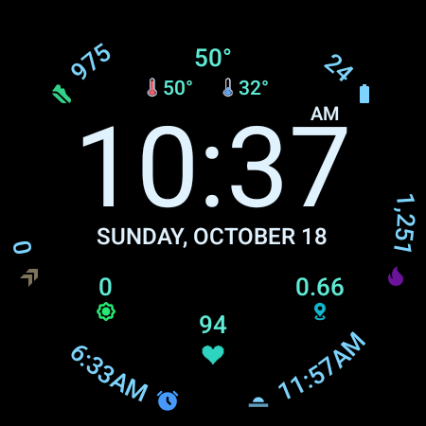
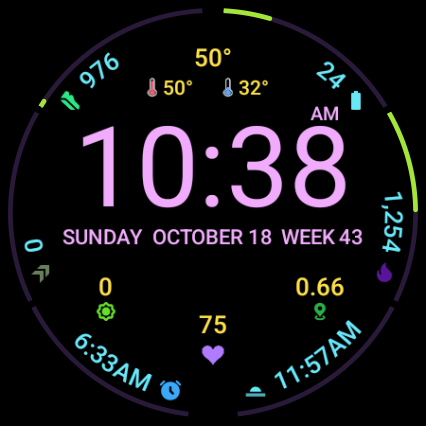
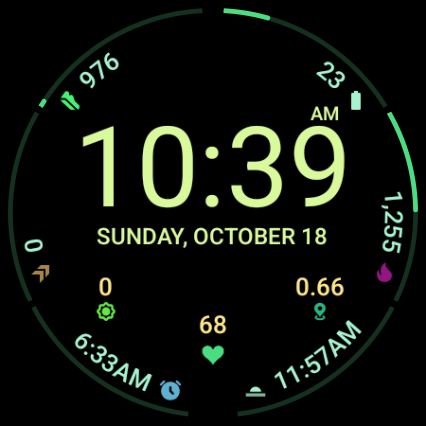
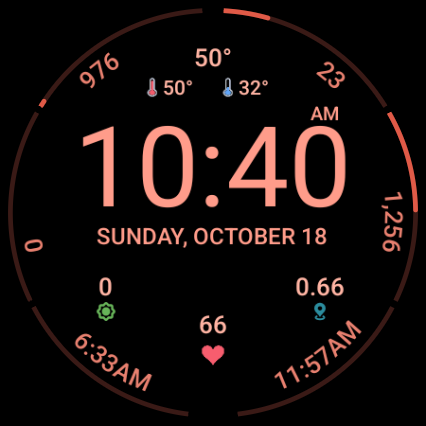
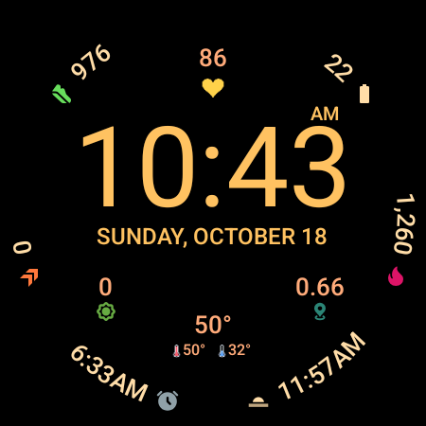
Arcline puts your complications around the edge of the watch in clean curved text, so the time gets the middle. With a heart that beats with yours, weather that looks ahead, and 35 color themes.

Help test it Coming soon to Google Play
For Wear OS 6 and later · No data collected

Help test Arcline

Arcline is in testing before it opens to everyone on Google Play. Testers get it first, free, on their own watch. It takes a minute:

  1. Join the tester group with the Google account you use on your watch. Join the group
  2. Become a tester on Google Play -- the code only works once you're in the test (wait a minute after this step). Become a tester
  3. Then get Arcline free with a code. Please take one only if you'll stay in the test for 14 days -- Google counts only testers who do. First come, first served: if one says it's already been used, try the next. Tap a code to redeem it on Google Play (or enter it in the Play Store: Profile → Payments & subscriptions → Redeem code). If it fails with an error, check that step 2 is done with the same Google account.
  4. Install Arcline on your watch from the Play Store (search for "Arcline Watch Face", or open it from the tester page).

Please stay in the test for at least two weeks. Feedback is welcome at daniel@twistedpair.se. Needs a watch with Wear OS 6 or later.

Made to be glanced at

Everything you check a dozen times a day, arranged so it never crowds the time.

Complications on the rim

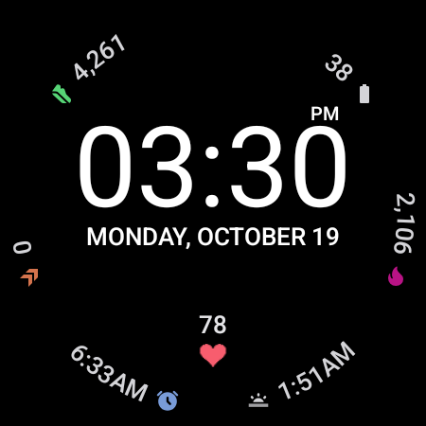
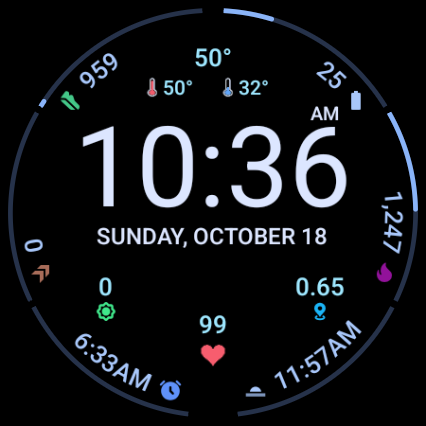
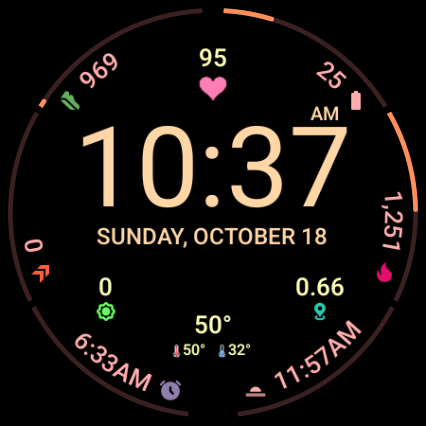
Six complications follow the edge of the watch in curved text, with slim meters for things like steps and battery. Two more sit in the middle. The time gets the space it deserves.

A heart that beats with yours

The heart beats at your measured heart rate, a soft pulse you can glance at. Prefer it calm? Make it still.

Weather that looks ahead

The temperature now, and the high and low for the coming hours, not the day that's already half gone.

Your language, your calendar

The date in your watch's language, and the week number counted the way your region does it: ISO weeks in Europe, Sunday weeks in the US.

Always-on done gently

When the screen dims, the time turns thin and the complications stay readable, as bright or dim as you like.

Light on the battery

Built with Google's Watch Face Format: no app running in the background, nothing collected, nothing sent.

One face, many looks

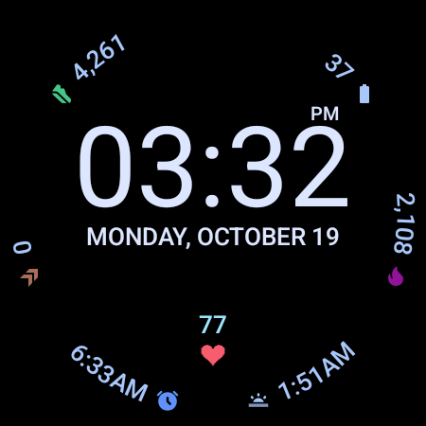
The same face with different settings. Every look below is a choice in the watch face editor.
Every setting

Long-press the face and tap the pencil to change any of these on your watch.

Complications

Six along the rim and two in the middle. Pick any complication your watch offers.

6 on the rim2 in the middle

Arc icons

The small icon at the end of each rim complication.

ShownHidden

Clock

Follow your watch's setting, or choose. In 12-hour mode, AM or PM sits above the minutes.

Automatic24h12h

Dimmed brightness

How bright the complications, heart and weather are when the screen dims.

HighMediumLow

Heart & weather

Put each above or below the time, or turn it off. The two middle complications move closer together when nothing sits between them.

Heart: top / bottom / offWeather: top / bottom / off

Heart color

Nine colors for the heart.

  • Red
  • Pink
  • Orange
  • Gold
  • Green
  • Teal
  • Blue
  • Purple
  • White

Heartbeat

Beating at your heart rate, or still.

BeatingStill

Rim arcs

Slim meters along the rim for values like steps and battery, or just the values.

ShownHidden

Theme

35 themes, each coloring the time, the rim, the meters and the middle in its own shades.

  • 10:08Ice
  • 10:08White
  • 10:08Amber
  • 10:08Mint
  • 10:08Rose
  • 10:08Night red
  • 10:08Sunset
  • 10:08Ocean
  • 10:08Forest
  • 10:08Neon
  • 10:08Retro
  • 10:08Aurora
  • 10:08Red
  • 10:08Coral
  • 10:08Orange
  • 10:08Gold
  • 10:08Lemon
  • 10:08Lime
  • 10:08Green
  • 10:08Emerald
  • 10:08Teal
  • 10:08Cyan
  • 10:08Sky
  • 10:08Blue
  • 10:08Indigo
  • 10:08Violet
  • 10:08Purple
  • 10:08Magenta
  • 10:08Pink
  • 10:08Raspberry
  • 10:08Sand
  • 10:08Slate
  • 10:08Sage
  • 10:08Mauve
  • 10:08Graphite

Week

The week number beside the date, on its own line below it (the date gets bigger), or hidden.

Beside the dateBelow the dateHidden

Languages

The weekday and month come from your watch in its own language. The week word is translated too, and the date line sizes itself to fit the words.
EnglishSvenskaDeutschNorsk bokmålNynorskDanskSuomiFrançaisEspañolItalianoNederlands
Week numbers that match your calendarISO weeks (Monday first) in most of the world, Sunday weeks where that's the custom, like the US.
Dates the local way"18 October" in most places, "October 18" in the US.
Pixel Watch complications by defaultSteps, active minutes, calories, alarm, sunset, UV and distance, with standard Wear OS fallbacks on other watches.